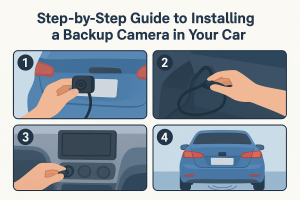


How to Install an Aftermarket Backup Camera on Any Car in 2026
Backup cameras are an essential safety upgrade for commercial vehicles. Federal regulations (FMVSS) 111 require rear visibility systems on vehicles with a GVWR under 10,000 pounds. Commercial vehicles with a GVWR over 10,000 pounds are not covered by the same rule. Many older fleet vehicles may also lack backup cameras, as the regulation only applies to vehicles manufactured after May 2018.
Aftermarket backup cameras offer an effective solution. Available in wired and wireless configurations, these systems can be installed on almost any car, van, pickup, truck, or trailer to improve visibility and reduce risk.
If you've been looking for an aftermarket backup camera for your fleet and are unsure where to start, this article explores different types of backup cameras, wired and wireless options, and the steps involved in backup camera installation.
Which Backup Camera Is Right for Your Vehicle?
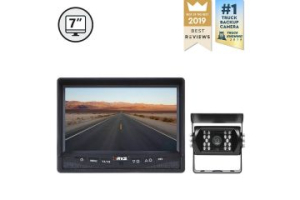
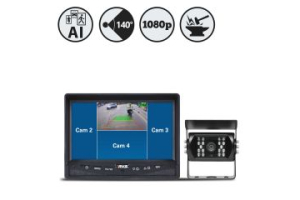
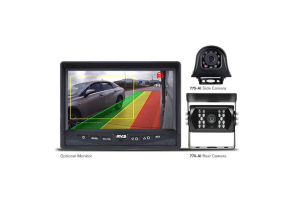
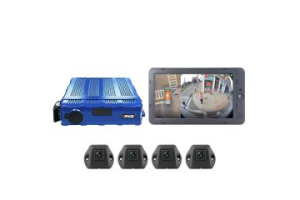
Before starting backup camera installation, you need to decide which aftermarket backup camera is right for your vehicle. Large trucks and trailers may require multiple cameras to cover rear, side, and other blind spots, along with dedicated monitors and additional safety features. Work vans, service vehicles, pickups, and company cars may only need a single rear camera. Vehicles with factory-installed monitors may also require a backup camera that is compatible with the existing display.
Operating environment is another consideration. Vehicles that frequently travel long distances, operate in poor weather, or work in demanding environments may require more durable camera systems with features such as waterproof housings, night vision, and DVR recording.
The first decision, however, is whether a wireless backup camera for a car or a wired camera is the better fit.
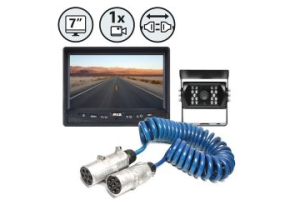
Wired backup camera systems require running cables from the rear camera to the cab monitor, which can increase installation time, especially on larger vehicles. They transmit video through a physical cable, providing a stable video feed without signal interference. Wireless backup camera systems are easier to install because they eliminate cable routing, though signal quality can occasionally be affected by interference.
The right aftermarket backup camera depends on vehicle type and operational requirements. Larger trucks, trailers, and vehicles with longer camera runs may prefer wired backup cameras for uninterrupted video transmission. Fleets operating multiple vehicles or older trucks may use wireless backup cameras because installation is faster and cameras can be transferred between vehicles when needed.
Backup Camera Installation: Step-by-Step Guide
Wireless Backup Camera Installation
A wireless connection means there’s no video cable between the camera and monitor, which is usually the most difficult part of backup camera installations. Here’s how to get started:
Mount the Monitor
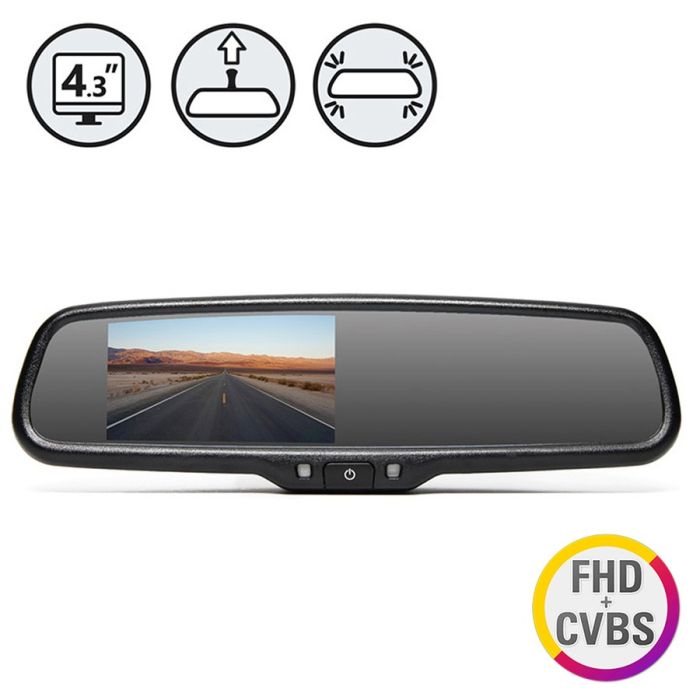
Start by mounting the monitor inside the cab. Monitors can be mounted on the dashboard, windshield, rearview mirror, or integrated with an existing display. Position the monitor where it is easy to view without obstructing the driver's line of sight.
Mounting the Camera
Pick a camera mounting location that gives a clear rear view. For a wireless backup camera for cars, it's usually the license plate frame using the existing bolts. On vans or box trucks, cameras are often mounted higher on the rear body panel facing down for a wider viewing angle. Before securing the camera, check the image on the monitor to make sure the viewing angle is right.
Connect Power
The camera and monitor both need power. Installation requirements vary between systems. The camera can either be connected to the reverse lights so it works only when backing up or to the running lights so it stays on continuously while driving. For example, Rear View Safety's SimpleSight™ Wireless Backup Camera System recommends using the main rear driving lights (#14 wire), as #18 wire does not carry enough amperage for the camera.
Pair and Test the System
Once power is connected, install the transmitter and receiver according to the manufacturer's instructions. The receiver is typically mounted near the monitor, often behind the dashboard or mirror assembly. After installation, pair the camera and monitor. With the Rear View Safety SimpleSight™ series, pairing can be done from inside the cab using the Instant Pair button.
Before completing the installation, test image quality, viewing angle, and signal strength. For larger vehicles, trailers, and RVs, check that the wireless signal remains stable across the full length of the vehicle before securing all components permanently.
Wired Aftermarket Backup Camera Installation
For wired aftermarket backup cameras, you need to route a video cable through the vehicle. Planning the cable route before installation can make the process much easier. Identify the safest route to keep the cable hidden and protected, such as under carpets or behind interior panels. Avoid placing cables near heat sources, moving components, or areas where they can become pinched or damaged. For larger vehicles and trailers, leave enough cable length to avoid tension during vehicle operation.
After planning the cable route, camera and monitor mounting follows the same process as wireless backup camera installation. Connect the video cable to the monitor and any required trigger wires according to the manufacturer's instructions.
Before replacing or securing carpet and trim panels, test the system to check image quality, camera angle, and monitor operation. Loose connections, damaged cables, and pinched wiring are some of the most common causes of installation issues. If the image appears distorted, upside down, blurry, or unstable, make any adjustments before completing the installation.
Improve Fleet Safety with Aftermarket Backup Cameras
Installing an aftermarket backup camera doesn't have to be expensive or time-consuming. With the right system and understanding of the process, many backup camera installations can be done without professional assistance.
If you need additional help, Rear View Safety provides downloadable instruction manuals for its products and a locator tool to help you find authorized installation centers by address or postal code.
For fleets committed to safety and smart growth, Rear View Safety offers a complete range of innovative camera systems in every product. With the mission to make the roads a safer place, we aim to provide our drivers with the highest quality and most personalized vehicle safety solutions.
Frequently Asked Questions
Should I choose wired or wireless backup camera systems?
Wired backup cameras provide consistent video transmission for vehicles operating long hours or in demanding conditions. Wireless backup cameras install faster without complex cable routing, making them a practical upgrade for older fleet vehicles and company cars.
Will an aftermarket backup camera work with my factory screen?
In many cases, yes. Some aftermarket backup cameras can integrate with existing factory displays, though certain vehicles may require an interface module or adapter. Always check compatibility before purchasing a backup camera system.
Can I keep my backup camera on while driving?
Yes. Aftermarket backup cameras can be connected to a constant power source, allowing drivers to use the camera while driving. This can be useful for service vehicles, trucks, trailers, and vehicles with limited rear visibility.
Need help choosing the right camera system for your fleet? Use our ROI calculator to estimate how much you can save or visit the support page for quick answers. If you’d prefer to speak with someone, feel free to contact us directly.